What Is Self Healing Test Automation? A Complete Guide
Testing as a Service (TaaS)
 Chandni Nadarajan
June 23, 2026
Chandni Nadarajan
June 23, 2026



 Chandni Nadarajan
June 23, 2026
Chandni Nadarajan
June 23, 2026
Picture this: It is release night. Your development team has made a sleek new UI update, and the code is live. But instead of celebrating, the QA team is staring at a sea of red. Not because the product broke. A developer renamed a simple button label from “Submit” to “Proceed.” This minor ID modification occurred, and the automated test scripts have broken again.
Out of nowhere, your hard-coded locators started failing, CI/CD pipelines come to a standstill, and deployment is delayed. Instead of focussing on complex exploratory testing and delivering quality, your QA engineers spend hours fixing the same brittle selectors.
Hence, it is a frustrating and time-consuming cycle as the maintenance consumes more resources than actual test creation. This cycle of frequent test breakages and constant script maintenance is one of the costliest bottlenecks in modern software delivery.
In this guide, we’re going to walk you through the whole story learning what self-healing test automation is, why it exists, how it works under the hood, who it helps most, and what it genuinely can’t do.
When a QA engineer builds an automated test, they must find a reliable way to find interface elements like buttons, input fields, dropdowns, and and checkboxes. This is where locators come into play. These can be an XPath expression, a CSS selector, an element ID, or a class name that directs the test to a specific part of the page’s underlying code structure, known as the DOM (Document Object Model).
You can think of it as a postal address. The test knows exactly where to find the “Submit” button in the DOM, so it goes straight there, clicks it, and then moves on to the next task.
Now imagine a developer coming along and reorganizing the house. Same button, same visual behavior but it now lives at a different address. Your test shows up at the old address, finds nothing, and fails. Not because the product is broken. Because the address was changed.
This may be manageable for teams shipping once a quarter. However, in a modern Agile or DevOps team releasing multiple times a week, the maintenance math gets ugly fast.
To understand where traditional scripts fail and where AI test automation is required, let us assess the six most common test breaking points that typically arrive to ruin your Monday morning:
Every one of these is a legitimate engineering decision that has nothing to do with a software bug. Traditionally, this meant that a QA engineer had to stop what they were doing to fix a selector. This sort of maintenance cycle makes flaky test reduction difficult as QA teams spend time fixing broken scripts.
Definition
Self-healing test automation is a system where the test itself figures out what happened and adapts to changes in an application’s user interface to keep going without human interference.
This means instead of giving the test a single postal address for an element; this intelligent test-automation system provides a comprehensive profile. It tracks the element’s visible label, ARIA role, visual appearance, page position, and surrounding elements. It is no longer looking for a specific address. But seeks out a unique element by considering various traits. This means it can identify the same button or field, even if it shifts position or undergoes changes.
If a locator fails during a test run, the engine steps in before throwing an error. It scans the page using its contextual knowledge, locating the modified element with high confidence.
The core capabilities that make this possible:
Captures multiple characteristics of an element, including labels, attributes, position, and context, rather than relying on a single identifier.
Detects locator failures before they cause a test to fail and routes them to the self-healing engine for analysis.
Evaluates potential replacement elements and ranks them based on how closely they match the original element profile.
Uses computer vision to identify the correct element when DOM attributes alone are insufficient.
Applies and persists the fix automatically or allows teams to review and approve changes before updating scripts.
Records every healing event, including the old locator, new locator, timestamp, and confidence score for complete traceability.
The concept sounds elegant. But what’s actually happening inside the engine? Let’s trace a single test step from creation to execution to see how self-healing automated tests respond to dynamic UI changes and recover from locator failures.
When your intelligent test automation framework runs a test, it doesn’t just record one locator. Instead, it studies all elements it interacts with. It captures several data points like ARIA labels, visible text, CSS class, DOM position, surrounding siblings, and even a visual hash of what the element looks like on screen. This multi-layered profile acts as a digital fingerprint that the system can rely on if the application changes later.
A developer ships a UI update. Your test runs, and the primary locator returns nothing. In a traditional framework, this is where the error gets thrown, and the test stops. In an adaptive test automation system, things get interesting here: the failure is intercepted before it propagates, and the healing engine immediately activates.
The engine queries the live DOM using the stored fingerprint, working through attributes in priority order: ARIA labels first, then visible text, then CSS class patterns, then positional heuristics. Each candidate element it finds gets scored based on how many fingerprint attributes it matches. The best match above the confidence threshold wins.
If DOM-attribute matching can’t get to a confident enough answer which happens after major component library overhauls the engine falls back to visual AI. It compares a screenshot region of where the element used to be with the current page, using computer vision to find what looks like the same control, even if everything about its code structure has changed.
The winning candidate is used to complete the test step. The test keeps running. In the background, the heal event gets logged: old locator, new locator, confidence score, timestamp, and a screenshot comparison. Depending on your configuration, the script either updates automatically or gets queued for human sign-off before the next run.
In traditional automation frameworks like Selenium, a test script has exactly one locator per element. When that locator fails, the test fails. There is no fallback. No adaptation. No recovery.
Whereas self healing test automation completely changes this dynamic. Instead of deciding on the success of a test on a single, fragile locator, this intelligent test automation strategy builds a multi-dimensional fingerprint for every UI component. This comprehensive profile captures everything including ARIA labels, visible text, page coordinates, CSS classes, visual layout, and the surrounding DOM architecture.
As a result, when a major front-end update breaks down the primary selector during runtime, the adaptive test automation engine uses the fingerprint to find the right element even after structural changes.
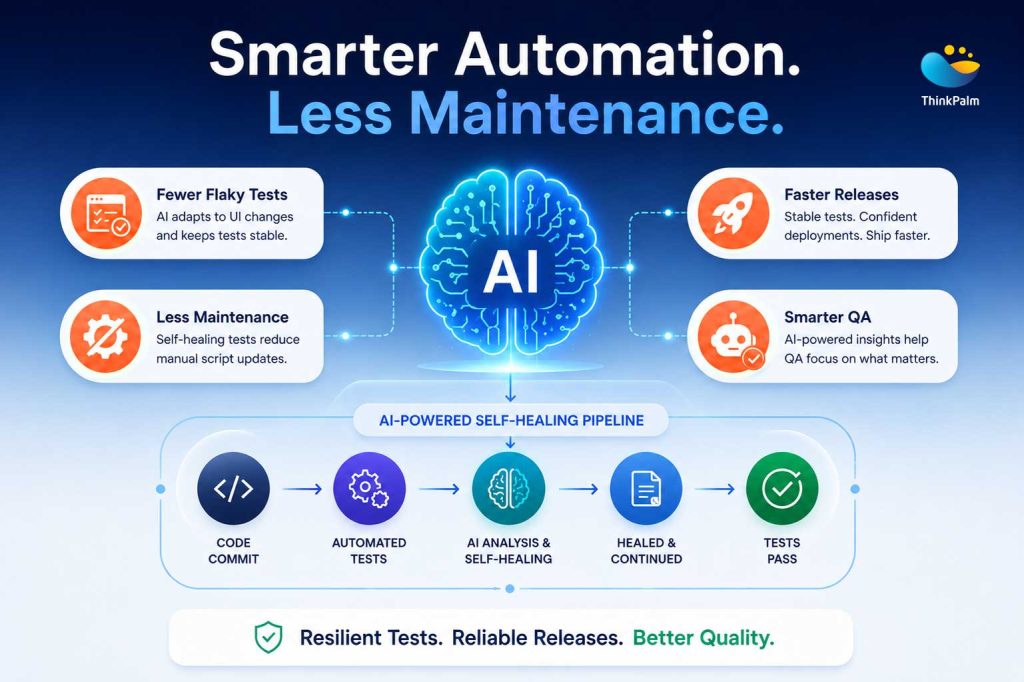
Self-healing test automation with AI-powered testing
Self-healing automation is just one example of enterprise AI in action. Discover how artificial intelligence is helping organizations build smarter, more adaptive enterprise software systems.
Traditional automation asks QA engineers to keep up with every UI change. Self healing test automation asks the system to keep up and flags only the things that genuinely need human attention. Through adaptive test automation capabilities, such as self-healing locators and contextual element recognition, teams can achieve flaky test reduction. This allows QA teams to spend less time on maintaining test scripts and more time improving software quality.
Talking about self-healing is one thing. The real question is: what changes for your team once it’s in place?
Your team can cut down hours spent fixing broken locators after every release. Instead, they can shift their focus to crafting new tests, enhancing coverage, and diving into genuine quality concerns.
A failed pipeline should point to a real problem, not a button that was renamed last week. With AI test automation, fewer builds fail because of locator changes, making CI/CD results easier to trust.
When locator-related failures disappear, the remaining failures become much more meaningful. QA teams spend less time separating noise from signals and more time finding issues that actually affect users.
As test coverage grows, maintenance doesn’t have to grow with it. Self-healing test automation handles routine UI changes automatically, helping teams scale testing without increasing maintenance effort.
A good intelligent test automation platform doesn’t make changes behind the scenes. Every automated fix is recorded, including what changed, when it changed, and how confident the system was in the update.
When teams can cut down on the time spent fixing test scripts, they can redirect their energy toward enhancing product quality. AI test automation reduces time spent resolving maintenance issues and helps accelerate releases.
Related Case Study: See how ThinkPalm helped an enterprise NMS provider dramatically reduce test generation effort with its AI-powered QA approach using TestNova.
Read the Case Study →Self-healing test automation isn’t a one-size-fits-all solution. It shines brightest in certain situations, and grasping those scenarios can enable you to make a well-informed choice about whether it’s the right fit for your team.
If your UI changes less than once a quarter, your suite has fewer than 100 scripts, or your team spends under 15% of sprint time on maintenance, traditional automation with well-structured locators is probably more cost-effective. The ROI of self-healing is directly tied to the volume of breakage you’re currently absorbing.
These teams can gain the most from AI-powered test automation when they are dealing with large regression suites, frequent UI changes, and growing test maintenance demands. The benefits of it also depend on how well it is implemented and managed. If you want to explore what it can offer, along with the challenges to watch out for and the best practices to follow, take a look at our guide to Self-Healing Test Automation Benefits, Challenges & Best Practices.
Self healing test automation solves one clearly defined problem: element locator failures caused by UI changes. It is not a general-purpose QA fix. Here’s what it won’t touch:
If the button exists and clicks fine but produces the wrong result, self-healing won’t notice.
Wrong assertions, bad test data, and incorrect expected values will keep failing regardless.
If a checkout flow is rebuilt from scratch with a new page architecture, there’s no fingerprint match to fall back on.
Tightly coupled, brittle test design patterns won’t improve just because a healing layer sits on top.
Self-healing applies to functional UI automation, not how a system behaves under traffic.
At ThinkPalm, we’ve seen self-healing automation deliver real results. We’ve also seen it deployed in ways that created more problems than it solved. The difference between success and failure was often due to the underlying engineering framework.
Our Testing as a Service practice starts with the foundation: multi-attribute locator design, page object architecture, proper test data decoupling. We introduce intelligent test automation layers directly on top of these strong core practices.
This approach is further strengthened through TestNova, ThinkPalm’s AI-powered test automation platform. TestNova brings together self-healing automation, smart locator management, AI-driven test creation, and advanced regression features, all designed to help teams cut down on maintenance work and enhance testing efficiency.
For teams already using Selenium or Playwright, we integrate AI-powered self-healing and intelligent locator management capabilities directly into existing CI/CD pipelines. This can be done without a platform migration. For organizations building new automation programs, we help evaluate and implement testing solutions that align with their technology stack, scalability requirements, and budget, ensuring long-term maintainability and business value.
ThinkPalm’s Testing as a Service (TaaS) experts help organizations reduce test maintenance, improve automation reliability, and accelerate software delivery through AI-powered quality engineering.
Chandni Nadarajan is a content writer at ThinkPalm Technologies, specializing in B2B marketing content. With a passion for turning complex ideas into clear, engaging narratives, she blends strong research and storytelling skills to make technical topics accessible. Her expertise spans technology, automation, and digital business solutions.